 Subvecta
A new starting point from any UI screenshot.
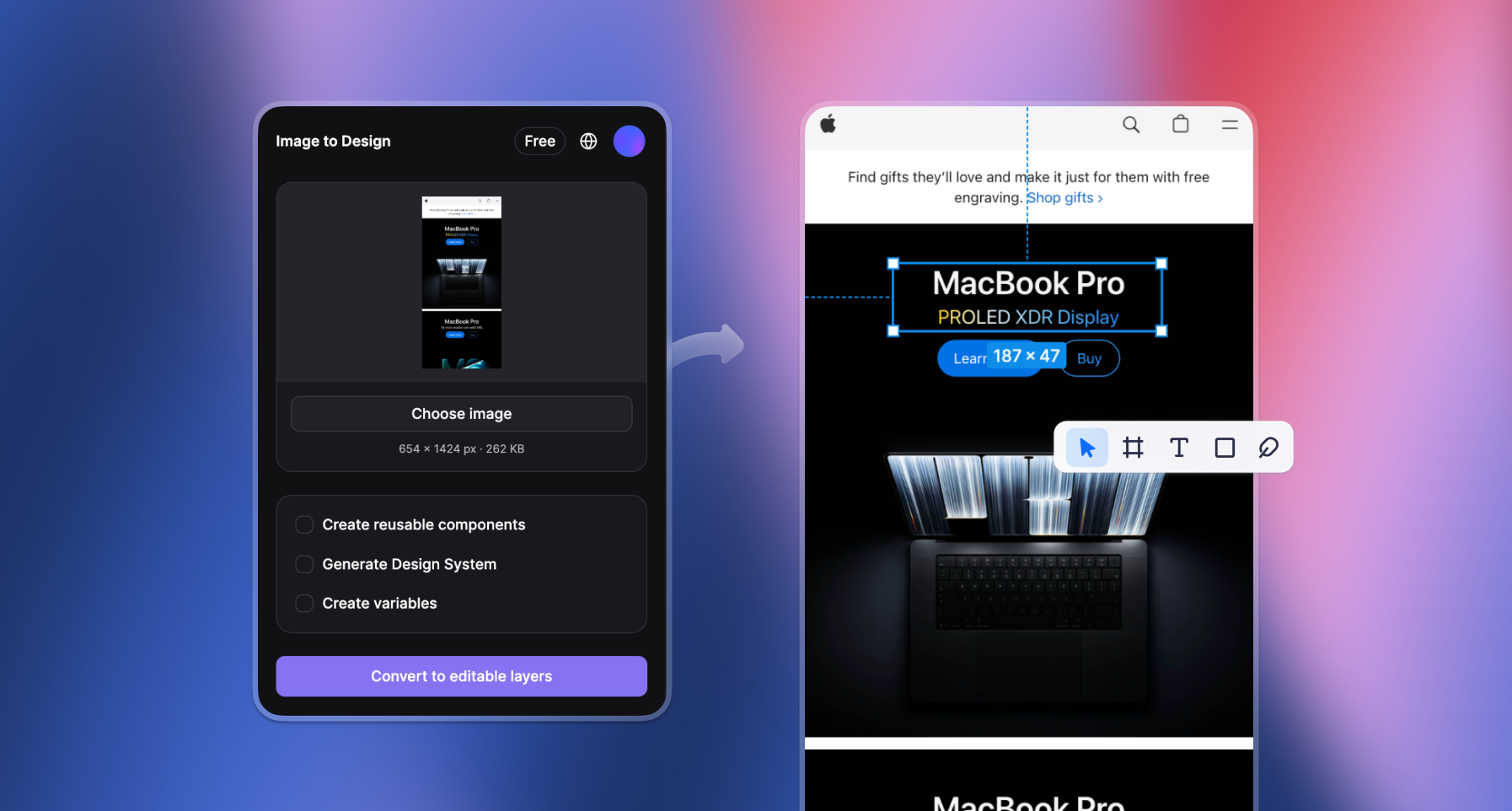
From screenshot to editable design.
Rebuild existing interfaces in Figma with editable text, movable cards, and replaceable images.
What stays editable
Text
Update headlines and descriptions as native text layers.
Layout
Move cards independently and adjust Auto Layout.
Images
Replace the card illustration from its own image fill.
How it works
Connect the plugin
Open the plugin from its Figma Community page, sign in on the website, and connect your account in the browser.
Create the frame
Upload a clear PNG or JPEG and click Convert to editable layers to insert a native frame.
Make an edit
Change the headline, move the card, or replace the illustration to refine your design.
Find your plan
Monthly credits to keep your design work moving.
Starter
$9/ month
15 credits every month
- PNG / JPEG screenshots
- Native editable layers
- Reusable components
- Design System & Variables
Plus
Recommended$19/ month
40 credits every month
- PNG / JPEG screenshots
- Native editable layers
- Reusable components
- Design System & Variables
Studio
$39/ month
100 credits every month
- PNG / JPEG screenshots
- Native editable layers
- Reusable components
- Design System & Variables